.png)
Label Settings
Label Printer - Besides the printed reports for the the various tabs, You have a separate printer template for printing labels with its separate default printer. You can make a printer template for most label printers.
The dropdown list will list all installed printers on your computer. First, select the label printer from the list of installed printers if it is not set as the default printer.
Click on the Folder button to choose the printer template to use. A template for your particular label printer can be made in the template editor. Set the template page size to the size your label printer prints. Add text or bar codes like you would on the other report templates.
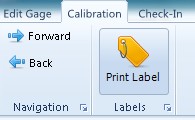
The "Print Label" button only shows up on the Calibration page, but any database fields can be used on the label template.
.png)
Many Label Printers can print on plastic coated stock which is good for labels on gages.
.jpg)