Composite Tolerance
Geometric Toerance Wizard is able to create two line composite tolerances, but only by creating a bitmap image that can be pasted into the document.
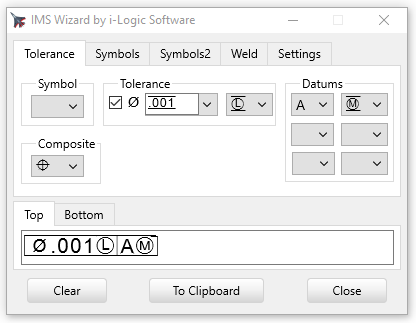
Turn it on: This feature is turned on by checking the Image Only check box on the Settings tab.
When this feature is turned on you can use top and bottom tolerance blocks by using the separate "Top" and "Bottom" tabs on the edit box.
You can have two tolerance text stacked, or output just one line of tolerance text by setting the Composite symbol to blank and using the top tab edit box.
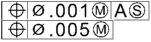
The Composite drop down box chooses a symbol that will go in front of both lines.
Copyright © 2026 i-Logic Software