Machine Format
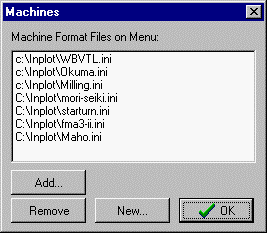
With this dialog box you add or remove machine configurations from the main 'File' menu. List shows all configurations that are currently installed on the File Menu.
Add. Choose a machine INI file to add to the list.
Remove. Highlight an item on the list and click Remove to take it off the main menu.
New. Enter new name into file dialog box. This will create a new INI file with that name. You will then have to use 'Add' to include that file on the list. This new configuration has all default settings. Alternatively, you could copy an old machine INI file and give it a new name and add that to the list.
_________________________________________________________________
Copyright © 2020 i-Logic Software