ODBC Databases
Gage Control can connect to any kind of database that has an ODBC (Open Database Connectivity) driver.
Here are instructions for connecting to a MySQL database:
1. Install ODBC Driver - You need the MySQL database driver installed on all computers that Gage Control will run on. This driver can be downloaded from the MySQL website.
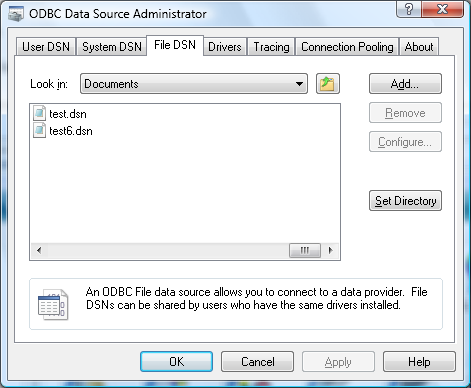
2. Create DSN file - In Windows Control Panel go to – Administrative tools – Data Sources (ODBC) – File DSN tab.
Pressing the Add button will bring up the Create New Data Source window. Find the driver for your database and click Next.
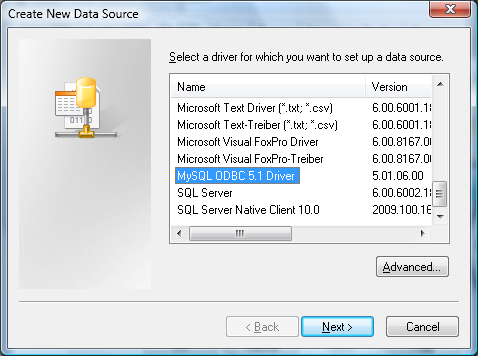
The file you make must be called "gages". The file needs to be put in the Gage Control User Data folder.
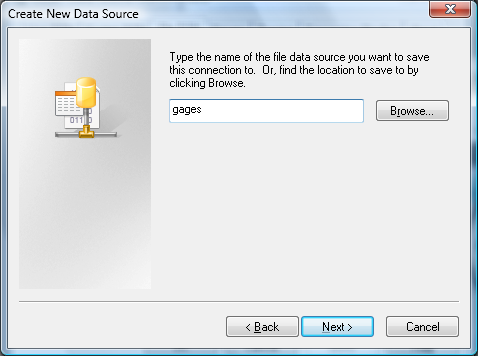
Press Next and Finish. Then highlight the gages.dsn you just made and press the Configure button.
.png)
Fill in the items with your info. The actual database in MySQL doesn't have to be named "gages", just the DSN filename.
In the details on the bottom, check "Return matched rows."
.png)
Then exit the ODBC Source Administrator. A DSN file is just a text file with a connection string in it. You will have to add your password to the file if your database requires it. An example:
File DSN for MySQL:
[ODBC]
DRIVER=MySQL ODBC 5.1 Driver
UID=root
OPTION=2
PORT=3306
DATABASE=gages
SERVER=gateway
Pwd=george
File DSN for Oracle:
[ODBC]
DRIVER=Oracle in XE
UID=SYSTEM
TLO=O
FBS=60000
FWC=F
CSR=F
MDI=Me
MTS=T
DPM=F
NUM=NLS
BAM=IfAllSuccessful
BTD=F
RST=T
LOB=T
FDL=10
FRC=10
QTO=T
FEN=T
XSM=Default
EXC=F
APA=T
DBA=W
DBQ=XE
SERVER=XE
PWD=george
File DSN for SQL Server:
[ODBC]
DRIVER=SQL Server
UID=sa
PWD=georgedoug
Network=DBMSSOCN
DATABASE=Gages
WSID=GATEWAY
APP=Microsoft® Windows® Operating System
SERVER=GATEWAY\SQLEXPRESS
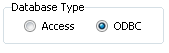
In Settings - Database - check the ODBC button in "Database Type" save and exit. When Gage Control starts up it will use the connection string contained in "gages.dsn" in the User Data Path.
Converting to other databases - If you convert the original Access database to the True/False field type should be Tinyint type in MySQL and Bit type in SQL Server and NUMBER(1,0) in Oracle. The datetime type should be datetime or smalldatetime in SQL Server and not datetime2.