Layers
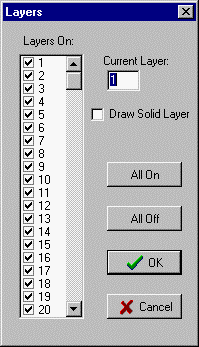
Check boxes indicate which layers in the CAD drawing are displayed.
The SOLID layer is the layer on which you would draw the outline of the part stock boundary. The default SOLID layer is the same as the highest layer.
The Draw Solid Layer box is a shortcut for turning on and off the solid layer so it can be used for drawing solids.
_________________________________________________________________
Copyright © 2020 i-Logic Software